Screenshot the receipt.
It remembers the rest.
mythings reads the screenshot for you: name, price and order date come out in one pass, the product photo is cut onto a transparent background, and the whole thing lands on your Wall. No more typing it in field by field.
Other tracking apps ask you to type.
mythings just asks for a screenshot.
Amazon, Apple, Best Buy, Etsy, or the receipt email sitting in your inbox — drop the screenshot in. Parsing happens in the cloud, and only the image you picked is ever uploaded.
- Order total
- $279.00
- Order number
- 3128499813
- Ordered
- 2026-03-14 21:07
Pick it from Photos, share it to mythings, or import it right after you take it.
- Item name
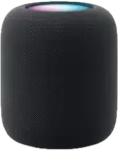
- Smart Speaker · Midnight
- Amount paid
- $279.00
- Purchase date
- 2026-03-14
- Store
- Official Store
Name, price, date and store are read in one pass. Anything it gets wrong, you just fix.
The product is lifted off the screenshot, so your Wall is a clean row of things — not a pile of screenshots.
Three things it does for you
Reading, valuing, sorting — the three tedious parts all go to the AI. Your job is to hand it a screenshot.
Drop in a screenshot,
it becomes a record
Name, price, date and store are lifted straight out of the order screenshot, and the product photo is cut onto a transparent background. Nothing to type.
What it is worth now,
tracked for you
Model, condition and second-hand listings go into an estimate of what each thing is worth today, and your total moves with it. When it is time to sell, you already know the number.
- Paid
- $279
- Resale value
- $170
Camera into Photography,
headphones into Music
Sorted not by product category but by what the thing actually does in your life. Categories grow on their own, and you can rename or reorder them anytime.
Bring your data in, take it out whenever.
Two-way CSV / JSON import and export, original images and transparent cutouts packed in with it. Moving over from another app is one import; walking away someday is one export — the things are yours, and so is the record of them.
- Import from elsewhereCSV / JSON
- Full exportoriginals / cutouts
- Readable without a planlocal-first
Everything else you would expect
Nothing surprising here — just the things you reach for every day.
Wall
Transparent product photos tiled across one screen, filtered by category, room or tag.
Timeline
Everything laid out by purchase date, so a heavy year is obvious at a glance.
Wishes
Park what you want to buy, and decide once the price drops or the urge passes.
Cost per day
Every item breaks down to a daily cost, so you can see whether the expensive one earned it.
Warranty reminders
Warranty worked out from the purchase date, a reminder before it lapses, receipts kept alongside.
Sync across devices
One account on iOS and Android, backed up to both iCloud and local storage.
¥20 a year.
About what a coffee costs.
No paywall popups, no per-scan AI credits. One price, every feature, both platforms.
- The first month is completely free — no payment details needed
- Unlimited AI parsing and cutouts
- One account across iOS and Android, kept in sync
- Cancel anytime; exports are never limited
- Month 1
- Free
- First year (subscribed during the promo)
- ¥10
- Every year after
- ¥20
Billed through the App Store, Google Play or in-app payment; cancel any time before the free month ends.
How accurate is the AI? What if it gets something wrong?
Accuracy is high on order pages and receipts from the major stores. Every field can be edited before the item is saved, and the corrections you make nudge later results toward the way you write things.
Do my screenshots get uploaded?
Only the image you choose to parse is uploaded, over HTTPS, where a large model reads the fields and lifts out the product photo. Your item data and images live on our servers, can be exported in full at any time, and are deleted along with your account — no profiling, and nothing sold to anyone.
How do I record older things with no receipt?
Add them by hand or with the camera. A photo of the real thing gets the same automatic cutout; you just fill in the price and date yourself.
What happens if I do not subscribe after the free month?
Everything you already have stays, and stays browsable and exportable — only AI parsing and sync pause. Subscribing at any point brings them back.
Is the ¥10 promo price for the first year or forever?
Subscribe within three months of launch and the first year is ¥10; it renews at ¥20 a year after that. Any price change will be announced in advance.
Drop in your first screenshot
Out now on iOS and Android. The first month is free.
Back to top to download